


MobiDrive Cloud Storage & Sync
4.2367.00 Reviews
App Specs
- Version
- 4.7.13906
- Updated On
- License
- Free
- Downloads
- 1,000,000+
- Developer
- MobiSystems
- Categories
- Productivity
- Platform
- Android
Screenshots
 Analysis by AppCompare
I tend to judge a cloud drive less by its welcome screen and more by what happens when I need one file quickly, my phone is nearly full, or a connection drops at an inconvenient moment. MobiDrive Cloud Storage & Sync is MobiSystems’ free productivity app for keeping files and photos available through cloud storage. Its appeal is straightforward: it brings everyday file handling into one mobile app, rather than asking me to treat every document, picture, and transfer as a separate chore.
What I would use it for day to day
The most useful way to think about a cloud drive is as a second place for important files, not as a magical replacement for every folder on your phone. I would use MobiDrive for things I may need away from home: a travel document, a current work file, a set of reference images, or photos I want to keep beyond the life of one device. That approach also makes it easier to decide what should be uploaded and what can stay local.
A realistic routine might look like this: I take pictures during the day, let the app’s photo backup handle the copies I want preserved, and later upload a document I need to review on another device. When a colleague or family member needs it, sharing can spare me from sending a large attachment through a messaging app. The key is to check that the important item has actually finished uploading before relying on it elsewhere; cloud access is only helpful once the file is there.
That last point is worth keeping in mind when judging speed. A cloud transfer depends on the network as well as the app, the file size, and the device. Small documents may feel nearly immediate on a good connection, while a large batch of photos can take longer and compete with other activity on a busy network. I wouldn’t plan around an upload finishing instantly when I’m on unreliable mobile data. Starting a bigger transfer while connected to dependable Wi-Fi is the more sensible habit.
Where the workflow helps—and where it needs care
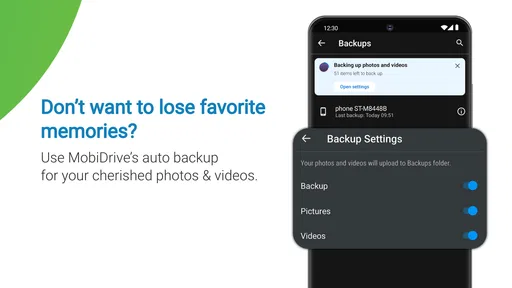
Automatic photo backup is convenient because it reduces the number of times I have to remember to copy new pictures by hand. It is also a feature I would set up deliberately rather than leave as an afterthought. If I take many similar shots, screenshots, or temporary images, automatic backup can send up more than the handful I really want to preserve. A quick review of what is being kept helps prevent a tidy storage plan from turning into another unsorted camera roll.
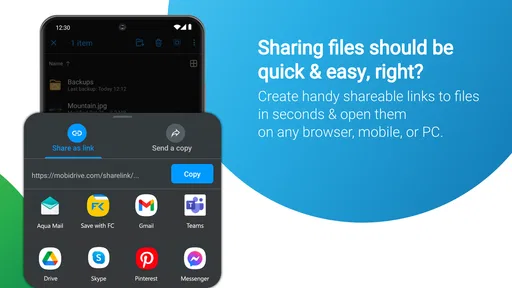
Sharing is useful for handoffs, but it should not be confused with a full collaborative workspace. The published app description presents file sharing and transfer as core tasks, while the original experience describes collaboration and editing; either way, I would check how a recipient can access a particular file before depending on live teamwork. For a simple exchange—sending a document to someone who needs to read it—a cloud link or shared file can be less awkward than attaching repeated versions. For complex editing with comments, version history, and a coordinated team process, a dedicated office suite may be the better fit.
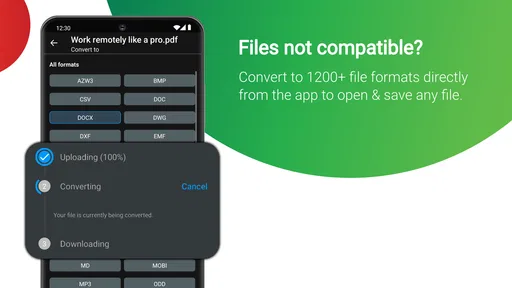
File conversion is another reason MobiDrive may suit people who move between formats, but it is best treated as a practical convenience rather than a guarantee that every layout will survive unchanged. Before sharing a converted document as final, I would open the result and check tables, spacing, and images. That small review matters most for resumes, forms, or anything where a shifted line could change how the document looks. Keeping the original alongside the converted copy is a useful safeguard when format fidelity matters.
Worth Reading Before You Choose

EA SPORTS FC Mobile 26 Is a Bigger Football Game, but It Takes Time

Flipboard Shows What News Apps Must Do Beyond the Feed

Switching to Android Auto Means Rethinking Your Driving Routine

Google Calendar Makes a Crowded Week Easier to Manage

Ludo King Makes the Most of the Minutes Between Plans

Baby Panda World Brings Quick Play to Modern Phones, but Its Game Library Feels Busy
Getting Started with MobiDrive
First things first, downloading and setting up MobiDrive Cloud Storage & Sync was a breeze. Available on both Android and iOS, the app is super easy to find in the app stores, and it’s free to download. Once you’ve got it on your device, you’re greeted with a clean, user-friendly interface that makes navigation intuitive.
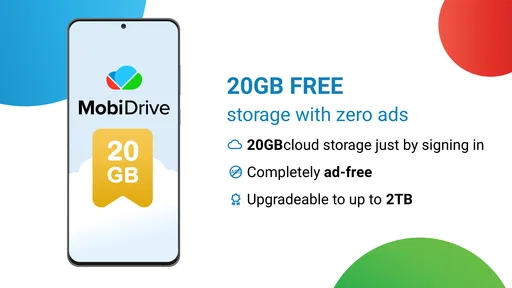
After a quick sign-up process, you’re ready to start uploading and organizing your files. The app offers a generous amount of free storage space, which is a nice touch for anyone who’s tired of constantly getting those "storage full" notifications.
Features That Stand Out
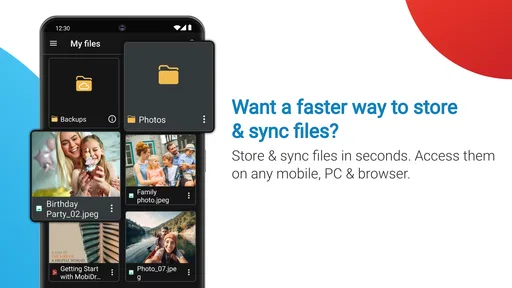
Now, let’s dive into what really makes this app tick. One of the standout features of MobiDrive is its seamless syncing capabilities. Whether you’re on your phone, tablet, or computer, accessing your files is as smooth as silk. I mean, who doesn’t love being able to pull up important documents on the go without any hassle?
Another cool feature is the app’s collaboration functionality. You can easily share files with friends, family, or coworkers, and they can view or edit them in real-time. It’s perfect for those group projects or even planning a vacation with friends. Plus, the app supports a wide range of file types, so you’re not limited to just documents or images.
For those who are security-conscious, MobiDrive doesn’t disappoint. The app uses top-notch encryption to keep your data safe, which gives you peace of mind knowing that your sensitive information won’t fall into the wrong hands.
User Experience and Performance
In terms of performance, MobiDrive holds up well. Uploads and downloads are quick, and I didn’t encounter any annoying lags or crashes during my time with the app. The developers clearly put a lot of thought into ensuring a smooth user experience, and it shows.
The app also offers a neat little feature where it automatically backs up your photos. For someone like me who’s constantly snapping pictures, this is a lifesaver. I can free up space on my phone without worrying about losing precious memories.
Choosing it over familiar alternatives
MobiDrive makes most sense if you want one place to handle routine cloud files, photo copies, sharing, and transfers without building a complicated setup. Compared with relying only on a phone’s built-in photo backup, a drive-oriented app is more useful for documents and mixed file types. Compared with a general-purpose file manager, it adds cloud access rather than simply showing what is already stored on the device.
The trade-off is that people already invested in another cloud ecosystem may prefer to keep using it. Their files, sharing habits, and devices may already be arranged around that service, and switching brings a sorting task of its own. I’d choose MobiDrive when I want a straightforward additional home for files or when its file-handling tools fit my routine; I wouldn’t migrate a large, carefully organized archive just because a second drive is available.
It is also worth separating storage from backup. A cloud copy can help if a phone is lost or replaced, but I would not assume that every file is protected until I have checked that the upload completed and confirmed I can retrieve it. For especially important material, keeping another copy in a separate place is a safer approach than trusting any single app. This is not a knock on MobiDrive; it is a sensible rule for cloud storage in general.
Speed, stability, and device demands
My expectations for speed would be modest and practical: browsing a file list should feel lighter than sending a large folder, and a transfer’s pace will depend heavily on the connection. If something seems stuck, I would first check whether the phone has a usable network connection and whether the transfer is still running, rather than immediately uploading the same file again. Repeating an upload can create clutter and make it harder to tell which copy is current.
For heavier use—such as backing up many photos while also moving work documents—I would split the job into smaller batches. That makes it easier to spot a particular file that did not transfer and avoids tying up the app with a long queue when I only need one item urgently. It is a simple workflow improvement, not a special feature: upload the priority document first, then let the less urgent photo batch run when I have time and a reliable connection.
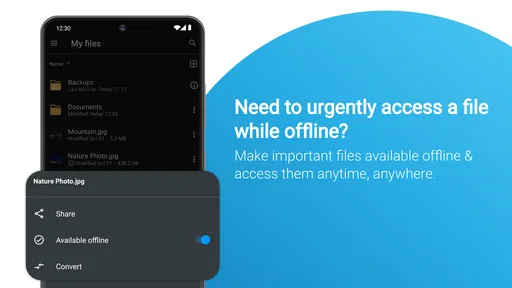
On stability, the original experience was smooth, with no disruptive lag or crashes during use. That is reassuring for ordinary file access, though it does not mean every transfer will be immune to a weak connection or a device running low on resources. If I were preparing for a flight or working somewhere with patchy reception, I would open any essential files in advance and make sure I have a usable copy available before going offline. A cloud drive is most dependable when I plan around connectivity rather than assume it will always be present.
Storage apps can also use local space for cached material and active transfers, so I would pay attention to the phone itself if it is already close to full. Cloud storage can help move files off a device, but uploading requires some room and a working connection before that space is recovered. I would avoid beginning a large photo backup when the phone is struggling for free space, and I would verify the cloud copies before removing local originals. That check is especially important for irreplaceable photos.
Who will get the most from it?
I’d recommend MobiDrive to someone who wants an accessible mobile drive for personal documents, photos, and occasional sharing, especially if they do not want to manage separate apps for every file task. Students can use it to keep course material reachable across devices; a freelancer may find it handy for moving drafts and reference files; families can use a shared file workflow for practical items such as travel plans. In each case, the benefit comes from having a consistent place to look, not from expecting the app to organize everything automatically.
I’d be more cautious if your main need is a sophisticated team workspace, highly controlled business document management, or a large archive that requires detailed organization and recovery procedures. I would also skip it if your current cloud provider already handles your files well and you have no reason to add another account or storage location. The extra choice is useful only when it solves a real problem; otherwise it can create duplicate copies and uncertainty about which version is the latest.
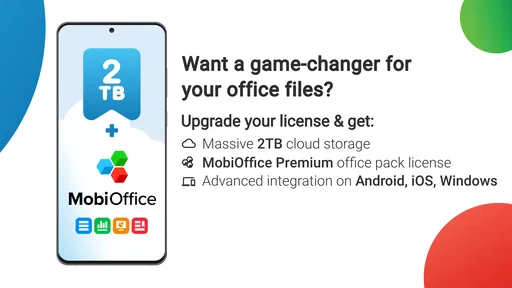
For pricing, the app is free to download, while optional in-app purchases range from $4.99 to $99.99 per item. I would explore the free experience first and consider a paid option only after working out how much storage or which added capabilities I actually need. That avoids paying for space before I know whether my files, photo habits, and sharing routine fit the app. MobiDrive is rated for Everyone, and its current version is 4.7.11444, with Android 7.0 as the minimum operating-system requirement.
Final Thoughts
All in all, MobiDrive Cloud Storage & Sync is a solid choice if you’re in the market for a reliable and functional cloud storage solution. It’s packed with features that cater to both personal and professional needs, and the user-friendly design makes it accessible to everyone.
While no app is perfect, MobiDrive comes pretty close with its robust performance and thoughtful features. Whether you’re a student, a busy professional, or just someone who likes to keep their digital life organized, this app is definitely worth checking out.
So, if you’re ready to take your file management game to the next level, give MobiDrive a spin. You might just find it to be the cloud storage companion you’ve been searching for!
Its reach suggests there is a broad audience for this kind of everyday storage: MobiDrive has more than a million installs and an average rating of 4.3 from around twelve thousand ratings, alongside 359 written reviews. I treat those figures as context, not a promise that the app will behave identically on every phone or network. MobiSystems has been developing it since its April 28, 2021 release, and the current version reflects an actively versioned product rather than a one-off utility.
My practical verdict is that this is a convenient option when I want mobile-first access to mixed files and photos, with backup and sharing close at hand. It is less compelling as a complete answer for demanding team collaboration or as the only copy of anything irreplaceable. Used with a quick upload check, sensible photo selection, and a backup plan for the files that matter most, it can make everyday file access calmer without asking me to rebuild my whole digital life.
Pros
- Generous free storage capacity offered.
- Seamless file synchronization across devices.
- User-friendly interface with intuitive navigation.
- Robust security features for data protection.
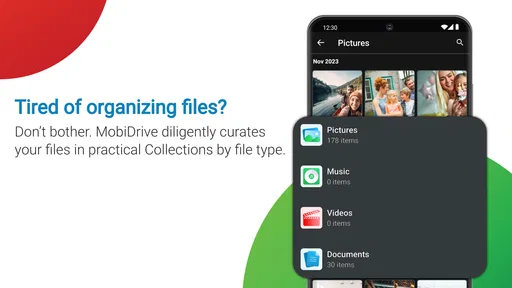
- Supports a wide range of file formats.
Cons
- Limited offline access to files.
- Occasional sync delays reported by users.
- Premium features behind a paywall.
- No advanced sharing options available.
- Ads present in the free version.
FAQs for MobiDrive Cloud Storage & Sync
What is MobiDrive Cloud Storage & Sync and what can I do with it?
MobiDrive is a cloud storage solution that allows users to store, access, and sync files across multiple devices seamlessly. With MobiDrive, you can upload documents, photos, and videos, ensuring they are available anytime, anywhere. It also offers robust sharing capabilities, enabling collaboration with others by sharing files and folders securely.
How secure is my data on MobiDrive Cloud Storage & Sync?
MobiDrive prioritizes data security with advanced encryption protocols to protect your files during upload, storage, and download. It employs end-to-end encryption, ensuring only you and those you authorize can access your data. Regular security updates and two-factor authentication add extra layers of protection, safeguarding your information from unauthorized access.
What platforms does MobiDrive support, and can I sync files across devices?
MobiDrive is available for both Android and iOS, making it compatible with a wide range of smartphones and tablets. Additionally, it offers desktop versions for Windows and macOS, ensuring a seamless experience across all your devices. The app automatically syncs files, so any changes made on one device are reflected on others almost instantly.
Are there any file size limitations or storage capacity restrictions with MobiDrive?
MobiDrive offers various storage plans to cater to different needs, ranging from free options with limited space to premium subscriptions offering extensive storage capacity. While the free version may have file size limitations, premium plans typically allow for larger file uploads. Users can choose a plan that best fits their storage requirements.
What are the collaboration features available in MobiDrive Cloud Storage & Sync?
MobiDrive enhances collaboration by allowing users to share files and folders with ease. You can set permissions to control who can view, edit, or comment on your documents. The app supports real-time collaboration, enabling multiple users to work on the same document simultaneously, which is ideal for team projects and remote work scenarios.


